A growing range of AI tools is now available to help streamline your business operations—from writing and research to image generation, video editing, and even voice cloning.
In this article, I will introduce the most useful AI tools that can benefit your business in detail.
AI tools are becoming increasingly diverse, helping to enhance business efficiency across various areas—from content writing and research to image generation, video editing, and voice cloning.
In this article, I will introduce AI tools that can be beneficial for your business.
1. Content Writing and Generation
ChatGPT – Your creative writing assistant
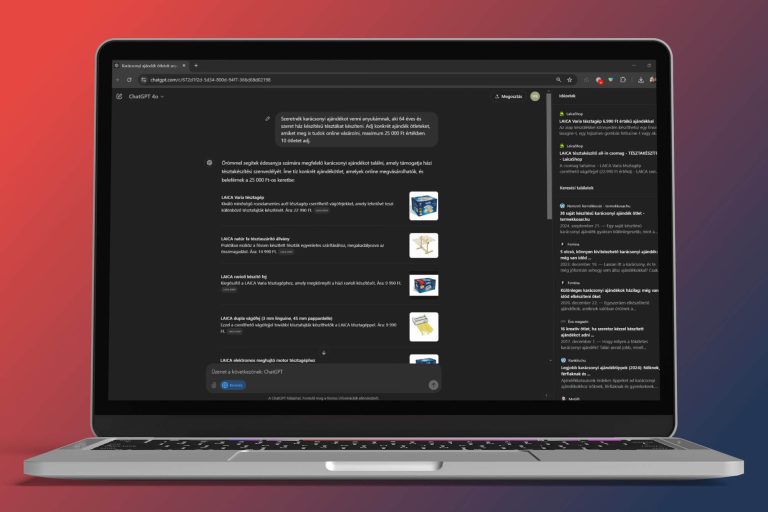
ChatGPT is an AI-powered writing assistant capable of generating ideas, creating outlines, and even writing full articles, newsletters, or social media posts.
How to use it?
- Blog posts, professional articles: Whether it’s about a hobby or a complex topic, ChatGPT can generate articles. However, always add your expertise and review the text to ensure high-quality content.
- Newsletters: Generate personalized content regularly to highlight promotions and updates.
- Social media: ChatGPT can write short, engaging posts in multiple variations, making it easy to adapt for different platforms.
- Handling complaints, customer emails: If you struggle with responding to difficult emails or complaints, ChatGPT can help you rephrase messages in a professional, assertive, and empathetic manner.
Jasper AI / Copy.ai – Professional marketing content creation
These tools are designed for writing marketing copy, advertisements, and articles.
How to use them?
- Advertisements: Quickly generate multiple ad variations to test audience engagement.
- Promotional materials: Ensure that your brand’s tone and style are reflected in product or service descriptions.
Mailerlite (with AI features) – Personalized newsletters
Mailerlite offers AI integration for automated and personalized email marketing. If you don’t want a paid subscription, use ChatGPT to draft content and design automation logic.
How to use it?
- Automated welcome series: Send AI-generated messages introducing your brand to new subscribers.
- Segmented campaigns: Group customers based on behavior or interests and deliver relevant content to each segment.
Ubersuggest – SEO all-in-one tool
Ubersuggest is a powerful SEO tool that identifies website optimization issues and provides AI-powered content suggestions.
How to use it?
- Keyword research and optimization: just type in the address of your competitor’s website and see what keywords they use, what they’re better at than you. Pick out their best performing articles and use AI to write a better article for your site :).
2. Research and Brainstorming
With AI tools, you can create decision support systems that help you develop business strategy, produce content, and analyse market trends and competitors. I’m going to list three tools because they’re the ones I use on a daily basis, the ones I know best.
Perplexity
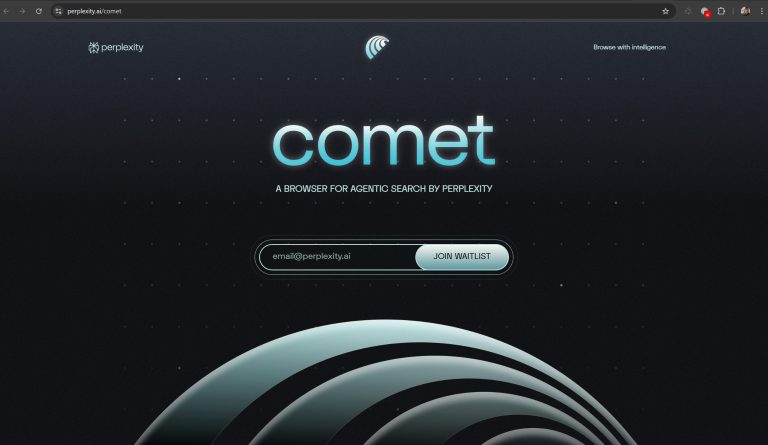
Perplexity is an AI-based search engine that can quickly and efficiently collect, organise and present information available on the web.
Perplexity is a tool based on advanced natural language processing (NLP) technology that generates concise, well-structured answers to user-generated questions. The system combines the power of the AI model with the power of web search to bring together the most relevant data in a short time. Read the full article here: presentation of Perplexity AI
What can it be used for?
- Strategic decision-making: it helps you quickly gather the latest industry trends, statistics and market data to inform strategic decisions.
- Competitor analysis: Identify market trends and competitor performance.
- Content research: use it to prepare blog posts, articles, presentations and other content, as it generates comprehensive answers to complex questions..
ChatGPT
ChatGPT is not just for content writing. The advanced o1 and o3 models possess strong reasoning and logical capabilities, making them excellent for business brainstorming, strategy development, and decision support.
What does ChatGPT offer in a business context?
Strategic analysis:
With ChatGPT, you can analyze complex business questions and receive comprehensive, logical arguments that support strategic decisions. For example, if a company is considering launching a new product, the tool can gather relevant market insights, competitor analysis, and consumer feedback to assist in shaping the final strategy.
Business brainstorming:
ChatGPT doesn’t just generate pre-written texts; it also provides creative ideas, offering new perspectives and innovative concepts. If you’re looking for fresh, original ideas for a marketing campaign, ChatGPT can present multiple alternatives to choose from.
Decision support:
AI can comprehensively evaluate various aspects of your business—such as financial data, market trends, and competitor analysis—offering logical, reasoned recommendations. This is particularly useful for preparing complex decisions that require multiple factors to be considered.
Risk analysis and forecasting:
ChatGPT can model different business scenarios and help assess potential risks. This allows you to predict which strategic directions are likely to lead to success and where caution is necessary.
Data analysis and Excel file processing:
You can upload Excel or CSV files, and ChatGPT can analyze them.
- Data organization: The tool reviews uploaded data and summarizes key metrics, such as sales trends, traffic fluctuations, or cost structures.
- Consultation and recommendations: Based on the data, ChatGPT can provide specific suggestions on increasing efficiency, identifying cost-saving opportunities, or refining marketing strategies.
- Decision support: By analyzing data from Excel files, ChatGPT can generate forecasts and risk assessments to help shape your business’s long-term strategy.
Google Gemini
To be honest, I haven’t been using Gemini lately because ChatGPT and Perplexity have surpassed it in my experience. I actually have subscriptions for these, so I get access to their fastest models. I didn’t subscribe to Google Gemini because I found it too expensive, didn’t find it as good, and wasn’t satisfied with its privacy policy either.
If you have a Google Workspace subscription, however, it might be worth considering a Gemini subscription, as it allows you to integrate AI into Gmail and other Google Docs tools.
3. Image Generators
The era of stock photos is over, and small businesses no longer necessarily need to hire a professional graphic designer.
AI-powered image generation tools enable you to create unique, professional-quality visual content that perfectly aligns with your brand identity. These tools not only save time and costs but also provide creative freedom, ensuring that your visual communication remains fresh and distinctive.
Leonardo AI
Leonardo AI is a tool specifically optimized for creating creative visual content, featuring built-in editing capabilities. This system can automatically generate images, stock photos, icons, logos, banners, illustrations, and other graphic elements that are not only unique but also customizable to fit your business needs.
This tool is especially useful for those who want to quickly create custom visual elements without working with an external graphic designer.
Pros: No need to struggle with complex prompts; many settings can be adjusted using pre-set templates, sliders, and buttons.
Cons: Prompting is only available in English (like most image generators), but this can easily be managed using DeepL or ChatGPT for translations.
Freepik AI
Freepik AI combines the benefits of a traditional stock photo library with AI technology, allowing you to create personalized and unique visual content from existing images. The tool intelligently modifies stock photos to better align with your brand identity, and it also enables you to generate custom graphic elements or icons.
This application is ideal for businesses that don’t want to compromise on quality or uniqueness. With Freepik AI, stock photos no longer look generic—they enhance your brand’s distinctive visual identity, increasing brand recognition.
Canva AI
Canva AI is an upgraded version of the well-known graphic design platform, integrating AI-powered features like Magic Write and a text-to-image generator. This tool offers an intuitive drag-and-drop interface, allowing users to easily create social media posts, infographics, presentations, and other visual content while leveraging AI for generating unique images.
Canva AI is an ideal choice for small businesses looking to create high-quality visuals quickly and effortlessly without needing advanced graphic design skills. The AI features enhance creativity by automatically generating ideas and suggestions, ensuring that the final design is always professional and unique.
ChatGPT DALL-E
The ChatGPT DALL-E integration is an AI-powered image generation technology that allows you to create completely unique images based on text descriptions. This tool is ideal for those who need custom visual content, as DALL-E’s creative algorithms transform your ideas into images.
With this tool, you can generate unique visual elements that strongly support marketing campaigns, blog posts, and even product showcase videos. AI-generated images ensure that your messaging remains distinctive and attention-grabbing, giving you a significant competitive advantage.
Cons: It is not the most advanced image generator yet and sometimes produces unnatural-looking faces, but it is still practical for generating visuals alongside posts quickly.
Midjourney
Midjourney is a unique AI image generation tool that offers an artistic approach to visual content creation. While this tool provides greater creative freedom and produces stunning, artistic-style images, its prompting process is more complex, making it less ideal for everyday business use. However, it remains valuable for businesses seeking distinctive, artistic visual solutions.
The images generated by Midjourney can be an excellent fit for marketing campaigns or brand identity elements, where the artistic effect plays a crucial role and the goal is to stand out with a unique, visually compelling presence.
4. Video Generation
Traditional video production is time-consuming and technically complex, but AI-powered video generators allow you to create completely new videos in just a few simple steps. These tools not only speed up video creation but also produce creative and unique content, making your business communication more effective and distinctive.
Freepik AI Video Generator
The Freepik AI platform includes an advanced video generation feature, enabling you to transform traditional stock video content into custom animations and short videos.
This tool is ideal for businesses that need to create marketing videos or promotional materials quickly, without the need for filming or manual editing. With Freepik AI, you can customize existing videos to perfectly match your brand’s style and messaging.
Kling AI
Kling AI is an innovative tool that automatically generates videos based on textual content. Its advanced algorithms select relevant visual elements, transitions, and styles, resulting in a cohesive and engaging video.
The platform is continuously evolving, and as a subscriber, I’ve noticed that new features are added almost every month. It now includes a built-in image generator and a feature that modifies outfits based on a personal photo, which can be useful for creating new business portraits or making team photos more uniform.
Sora
Sora is another AI-powered video generator that has been highly anticipated for a long time. The release has been delayed multiple times, but demo videos indicate that it can create incredibly realistic footage.
This tool is an ideal choice for businesses looking to produce innovative and eye-catching videos, particularly for social media campaigns or online ads, where visual creativity is key.
Runway
Runway is a comprehensive AI-based video editor and generator, offering a range of automated functions such as object removal, style transfer, and even the creation of entirely new video content from existing footage.
This tool allows businesses to efficiently modify, enhance, or repurpose video materials, ensuring that the final output is always high-quality and professional. Runway significantly simplifies the post-production process, allowing creative teams to focus more on the conceptual aspects of content creation.
Cons:
- Due to its extensive features, Runway has a steep learning curve.
- Expensive subscription—I personally canceled mine after a month because of the high cost.
- Best suited for those who require top-tier video production and have some experience with professional editing tools.
5. Voice Cloning
AI-powered voice cloning technology allows a system to learn and replicate a given voice sample, enabling businesses to create custom voiceovers and narrations without hiring a live speaker. While this technology offers numerous advantages, it is essential to consider that authenticity can be a crucial factor in certain contexts.
Voice cloning tools can duplicate a specific person’s voice, allowing users to generate speech in the same tone and style. This makes it a powerful tool for creating personalized voiceovers for educational materials, videos, or marketing content.
Use Cases
- Educational and training materials:
In fields such as education or safety training, voice cloning can provide consistent and uniform voiceovers, enhancing learner engagement and improving information retention. - Time and cost efficiency:
Businesses can save significant time and costs by eliminating the need to hire and record new voiceovers for every project. - Brand consistency:
A predefined voice style ensures consistent communication, which is especially important for branding and maintaining trust.
Key Considerations
While voice cloning can be highly beneficial in specific areas—such as education companies or specialized training programs—it may not be suitable for all businesses.
- Authenticity concerns:
In some cases, customers may perceive a real human voice as more trustworthy and personal. It is essential to evaluate whether AI-generated speech aligns with your brand’s identity and customer relationships.
Tools for Voice Cloning: Descript, ElevenLabs, and Heygen
Descript
Descript is a powerful tool that combines video editing, transcription, and voice cloning. It automatically converts audio recordings into text, allowing users to fine-tune and edit their recordings easily.
- Particularly useful for educational or training materials, as it enables seamless narration modifications without the need for re-recordings.
- Some features are already available in Hungarian, but custom voice cloning is not yet supported in the language.
ElevenLabs
ElevenLabs is a highly advanced AI speech synthesis system capable of producing natural and realistic voices.
- Ideal for narrations, voiceovers, and podcasts, where quality and authenticity are crucial.
- Supports Hungarian, making it a versatile option for localized content.
Heygen
Heygen is a platform that generates virtual avatars and AI-powered voices, making it useful for personalized video creation and educational content.
- The last time I tested it, its Hungarian speech quality was poor, and they eventually removed the feature.
- Keep an eye on future updates to see when Hungarian support is reintroduced and how well it performs.
6. Video Editing
Editing video content has become an essential part of digital communication, but traditional video editing can be complex and time-consuming. AI-powered tools like Descript and CapCut simplify the video editing process, making it faster, easier, and even more engaging.
Descript
Descript is an innovative AI-based video editor that automatically converts videos into text, allowing users to edit videos as if they were modifying a document.
- You can cut, rearrange, and refine videos simply by editing the text transcript.
- The tool includes automatic subtitles and audio synchronization, ensuring a professional final product.
Descript also offers a range of built-in AI features, collectively called Underlord, which include:
- Studio-quality audio enhancement
- Eye-contact correction
- AI-generated visuals
- Short clip extraction
- Highlighting key moments
- Translation into different languages
- Scriptwriting assistance
I personally use Descript for all my online course videos, as it significantly speeds up the editing process while maintaining high quality.
Capcut
CapCut is an intuitive, mobile-based video editor with built-in AI features that simplify video cutting and editing. It also has a desktop-optimized version for more advanced use.
With CapCut, you can quickly trim videos, add effects, and automatically generate subtitles. The tool’s drag-and-drop interface makes it incredibly easy to use, even on the go. It also offers a variety of pre-made templates, allowing you to simply upload your images and videos and have a polished video ready in no time.
Who is it for?
CapCut is an ideal choice for those who need to create fresh video content quickly and efficiently—whether for social media posts, promotional materials, or educational videos. Thanks to its AI-powered tools, high-quality videos can be produced with minimal effort.
7. Marketing Automation and SEO
AI-driven marketing automation tools help businesses optimize customer engagement and improve online visibility.
Integrating AI tools into daily operations—from content creation to research, image generation, video editing, voice cloning, and marketing automation—provides a significant competitive advantage in the fast-changing digital landscape. Full article about marketing automation here.