What is Google Labs and Why Should You Pay Attention?
Google Labs is Google’s dedicated “playground”—a space for experimental tools and features that aren’t yet part of stable products but are already solving real-world problems. The goal of Labs isn’t just to release software; it’s to test how we think, learn, create, and search using Artificial Intelligence. The most successful experiments eventually graduate into core Google products.

The Google Labs Ecosystem
What is Google Labs and why is it worth watching? Google Labs is Google’s “playground”: this is where experimental tools and functions appear that are not yet part of stable products but are already seeking new solutions to real problems. The goal of Labs is not to provide finished software, but to test how we think, learn, create, and search with the help of artificial intelligence—the best tools will eventually be available in live production.
Types of Tools in Google Labs
Google Labs experiments can be grouped into several major categories:
- AI-powered search and information processing
- Creative content creation (text, image, music, video)
- Learning and language use
- Productivity and note-taking
- Coding and developer tools
- Interactive, playful AI experiments
Below, I present the most important Google Labs tools. The list of tools is constantly expanding; you can find the full list (in English) here https://labs.google/experiments
Table of Contents
CC: Your Personal AI Daily Assistant
CC is an experimental, Gemini-based AI assistant that sends a daily summary email called “Your Day Ahead” so you can see your tasks, meetings, and important matters. It assembles the main points of your day from Gmail, Google Calendar, Drive, and the “broader web” data, acting as a two-way “virtual personal assistant”: you can even write back to it to remember, modify, or handle things.
What is CC good for?
Quick actions: It can create email drafts, suggest calendar invites, and help you react to tasks with a single click or response.
Morning schedule summary: In the morning, you receive an email summarizing your meetings for today, deadlines, bill payment reminders, and important documents so you know what the next step is.
Context linking: It doesn’t just write “10:00 meeting”; it attaches the related document from Drive or yesterday’s email that is worth reviewing.

How to use it in practice?
- For busy professionals: You skim CC’s email in the morning and within minutes you are up to speed with your entire day—meetings, materials to prepare, admin tasks to handle.
- Bills, admin, “things to keep in mind”: If an email arrived about a bill, CC reminds you that it’s due today and can link the email, so fewer things remain in your head.
- Your own “second brain” via email: You can write to it separately (e.g., to a specific address like yourname+cc@gmail.com) to “remember this idea,” “add this to the calendar,” or ask for a summary of an email thread.
Availability: Currently an early-access Google Labs experiment with a waitlist, primarily for 18+ users in the USA and Canada. Priority is given to Google AI Ultra / paid subscribers (e.g., Gemini Advanced / Google One AI Premium). It is designed for consumer Google accounts and is not part of the classic Workspace.
Stitch: From Sketch to Frontend Code in Minutes
Stitch is a Gemini-based UI design and coding tool available from the browser, allowing you to generate complete interface designs and frontend code for web and mobile within minutes from text prompts or uploaded sketches. Essentially, it shortens the “manual redrawing” between design and development and the manual connection between wireframe, UI, and code into a single AI-powered process.
What can Stitch do?
- Text-to-UI: Describe a “mobile app home page for a furniture design app with cards, themes, and style selector,” and it generates a ready-made layout with colors, typography, and components.
- Sketch / screenshot to UI: Upload a wireframe drawn on paper or a screenshot of an existing app, and Stitch transforms it into an editable, modern UI.
- Providing a website: You can simply provide a website link as a sample.
- Code export: From the finished design, you can export HTML/CSS, Tailwind CSS, or JSX/React code that developers can immediately pull in as a base.
- Figma export: You can easily move finished designs into Figma.
Prototypes and flows:
- Multi-screen flow: In one project, you place several screens side by side (login, dashboard, settings) and can describe how they connect.
- Prototypes function: You can “stitch” screens together with click paths, resulting in a clickable prototype that you can demo to clients or teams before development.
Disco: Transforming Browser Tabs into Productivity Apps
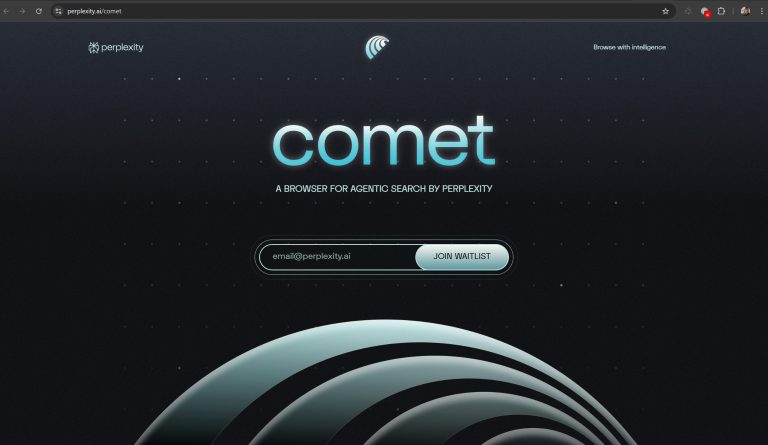
Disco is an experimental, Gemini-based browser and web AI environment that builds unique mini web applications called “GenTabs” from your opened tabs for learning, planning, and organizing. It was not made to replace Chrome, but rather as a sandbox where Google tests what it’s like when interactive tools are automatically born from browsing.
What is Disco good for?
- Web app from open tabs: GenTabs generates an app related to your research/planning topic (e.g., travel planner, flashcard system, price calculator), using the opened pages as sources and linking them.
- Support for complex tasks: If you are making an itinerary, Disco stitches maps, attraction lists, timers, calendar sync, and route planning onto one interface, so you don’t have to juggle 10–15 separate websites.
- The web as a single workspace: Instead of many separate tabs, Disco gives a project-based view (chat + generated app + source pages), so research, planning, and implementation stay in one place.
Doppl: The Virtual AI Dressing Room
Doppl is an experimental generative AI-powered virtual fitting room app where you can “try on” clothes based on your own photo; it even generates short videos of how the given set would look on you in motion. Currently available as a standalone mobile app for US users.
Google App for Windows: AI-Powered Desktop Search
This experimental app provides a search bar for Windows (accessible via Alt+Space) that searches your web history, Google Drive, local files, and installed apps simultaneously. It includes Google Lens integration for visual searches and text translation directly from your desktop.
Pomelli: AI Marketing Strategy for Small Businesses
Pomelli is a generative AI-powered marketing tool specifically for small and medium-sized businesses, which generates complete, brand-loyal campaigns and creatives for you after analyzing your website. Its essence is that you don’t need a designer, copywriter, and campaign strategist to have a consistent, professional appearance in social media and advertisements.

What is “Business DNA”?
- Pomelli reviews the website you provide and creates a “Business DNA” profile: tone, colors, fonts, visual world, logo, key messages.
- It uses this profile for every generated text and visual, so new posts and ads fit your existing brand in style and don’t feel like “generic AI posts”.
How does it work in practice?
- Creative generation: Based on the chosen focus, you receive a complete package—post texts, creatives, ad variants that you can immediately edit and download.
- Analysis: You enter your website URL, and the system maps the foundations of your brand (visuals + text).
- Campaign ideas: Pomelli suggests campaign themes (e.g., seasonal sale, educational series, new product launch), or you can provide your own idea as a prompt.
Mixboard: Creative Visualization
Mixboard is an experimental, AI-powered visual brainstorming surface (moodboard/concept board) where you can generate images, color palettes, and short texts on an infinite canvas starting from text prompts or templates. You can use it for interior design moodboards, brand or product ideas, event planning, storyboarding, and use natural language instructions to recolor, combine, and fine-tune visual concepts with the Nano Banana image editing model.
Opal: No-Code App Building
Opal is a no-code, Gemini-based AI mini-app builder where you can assemble multi-step AI applications using natural language and a visual workflow editor—essentially translating “prompt workflows” into runnable mini apps.
What can Opal do?
- Natural language app description: You describe what you want (“build me an app that makes a blog post outline, then generates a SEO title and saves it to a Google Sheet”), and Opal creates a multi-step workflow from this with input, AI, and output steps.
- Visual editor: You can edit the steps on a node-based, drag-and-drop interface, modify prompts, models, API calls, and see exactly what each step does.
- Two modes: In chat mode you tell it what to change with text; in visual mode you manually drag, delete, and fine-tune the steps.
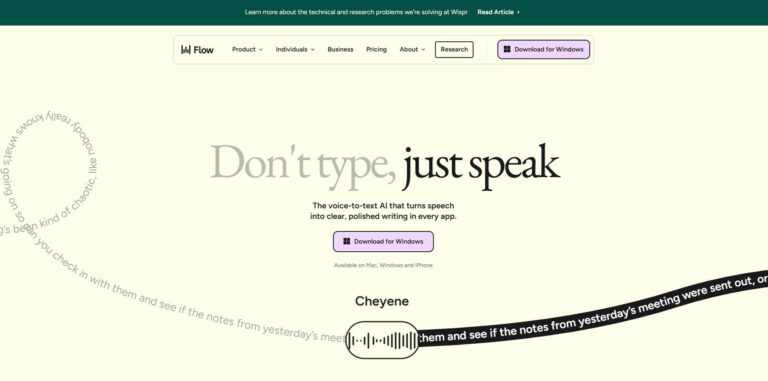
Flow: Professional AI Filmmaking with Veo 3
Flow is a Veo 3-powered professional AI filmmaking tool where you can plan, generate, and fine-tune scenes, entire stories, and storyboards. It is an evolution of the previous VideoFX, especially for filmmakers, motion designers, and creative agencies who want to create narrative, character-, and object-consistent videos with AI.
Main Capabilities:
- Stories built from multiple clips: You can place scenes, snippets, and transitions next to each other, planning an entire narrative flow.
- Consistency: It is sharpened for character and object consistency so that the protagonist, locations, and visual style remain uniform throughout the video.
- Camera control: You can set camera movement, viewpoint, and focus (e.g., “slow dolly-in,” “hero shot from below”), resulting in more cinematic, intentional snippets.
- Doodle prompting: You can scribble on an image (sketch, direction, composition), and Flow interprets the drawing and builds it into the final frame.
- Asset management: You can bring in your own images, references, and characters to reuse for separate scenes.
NotebookLM: Your AI-Powered Research Assistant
NotebookLM is a source-based AI research assistant that works specifically from your uploaded or linked materials (PDF, Google Docs, Slides, websites, YouTube videos, notes). Its goal is to quickly create clear notes, study materials, briefs, or research summaries with source citations from large, scattered information sets.
Typical uses:
- Research and content creation: Before a blog post, whitepaper, or market research, you upload the sources, and NotebookLM summarizes, highlights key points, gaps, and suggests an outline.
- Education and learning: Create personalized study materials, question lists, or exam prep from studies, textbook chapters, and articles.
- Business use: Upload internal materials (e.g., financial reports, product specifications, policies) and ask for an executive summary or training material outline.
SynthID Detector
A simple browser-based verification tool where you can upload an image, audio, or video, and it tells you if it contains an invisible SynthID watermark placed by Google AI. Primarily for identifying if material was likely generated or modified by a Google model (e.g., Imagen, Veo, Lyria).
Firebase Studio
A full-stack AI app builder available from the browser, where you can assemble end-to-end applications with databases and authentication using Gemini with minimal manual coding.