OpenAI recently introduced several new features in ChatGPT that significantly ease the process of interacting with the AI. Let’s take a closer look at what these updates offer.
1. Text-Based Interactions
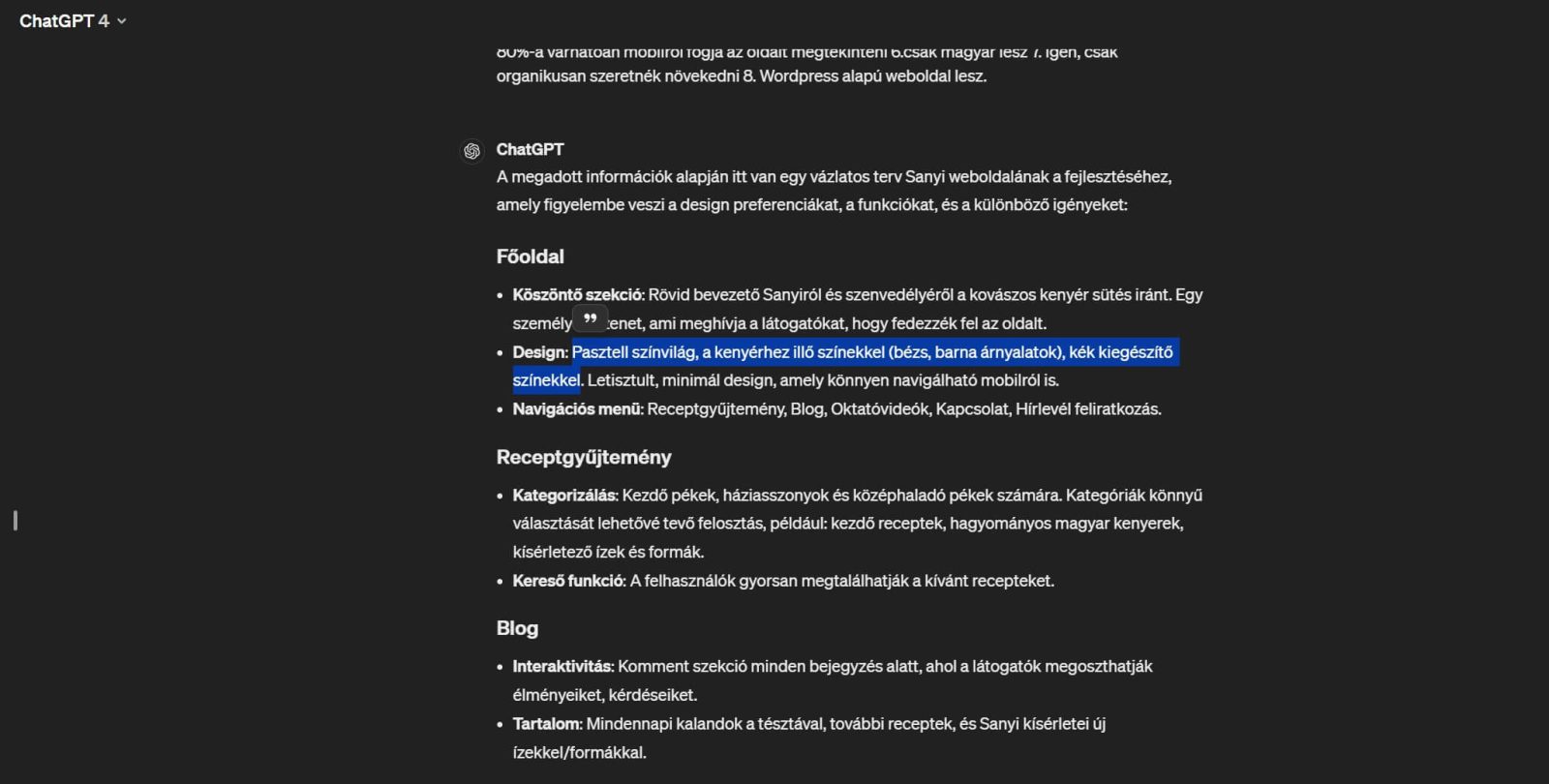
The latest update to ChatGPT allows you to directly respond to specific parts of a ChatGPT reply. If you need more information or have additional questions about a particular part of an answer, you can simply highlight the relevant text. A small quote icon will appear, which you can click to immediately write your follow-up question or request. This way, you don’t have to repeatedly explain the context, speeding up your workflow considerably.
2. Easy Prompt Refinement
When generating a lot of content with AI, it’s common to need to tweak your initial instructions to get better results.
If the first response doesn’t fully meet your expectations, you can easily refine your question or request without restarting the entire conversation. When you hover over a ChatGPT response, a pencil icon appears. Clicking on this icon allows you to quickly and easily edit your previous instructions.
3. Image Editing – Finally!
The newest and perhaps most exciting feature is the introduction of image editing capabilities. When ChatGPT generates an image, you can use the selection icon to modify specific details within the image. This is especially useful for making small changes without needing complex image editing software. Simply select the area you want to change and provide the new instructions. This feature not only saves time but also increases the flexibility of customizing visual content.

Summary
The new features introduced in ChatGPT can greatly enhance your daily use. Whether it’s quickly adjusting text, refining a previous question, or editing an image directly, these new tools make the process easier and faster. Now you can more easily ask follow-up questions, clarify previous queries, or modify an image without needing additional image editing software.