The highly anticipated Gemini AI from Google is now available!
Gemini comes with a variety of features designed to enhance user interaction and content creation:
- Creative Writing: Generates marketing copy, poems, code, scripts, emails, and more.
- Informative Responses: Provides detailed and informative answers to your questions.
- Multilingual Communication: Communicates in multiple languages.
- Voice Readouts: Reads out responses, even on desktop computers.
- Fact-Checking: Allows you to verify the truthfulness of responses with a single click using Google search.
- Customizable Responses: Easily request changes to the length or tone of responses with one click.
- Image and Voice Commands: Accepts image uploads and voice commands.
Is Gemini AI Free to Use?
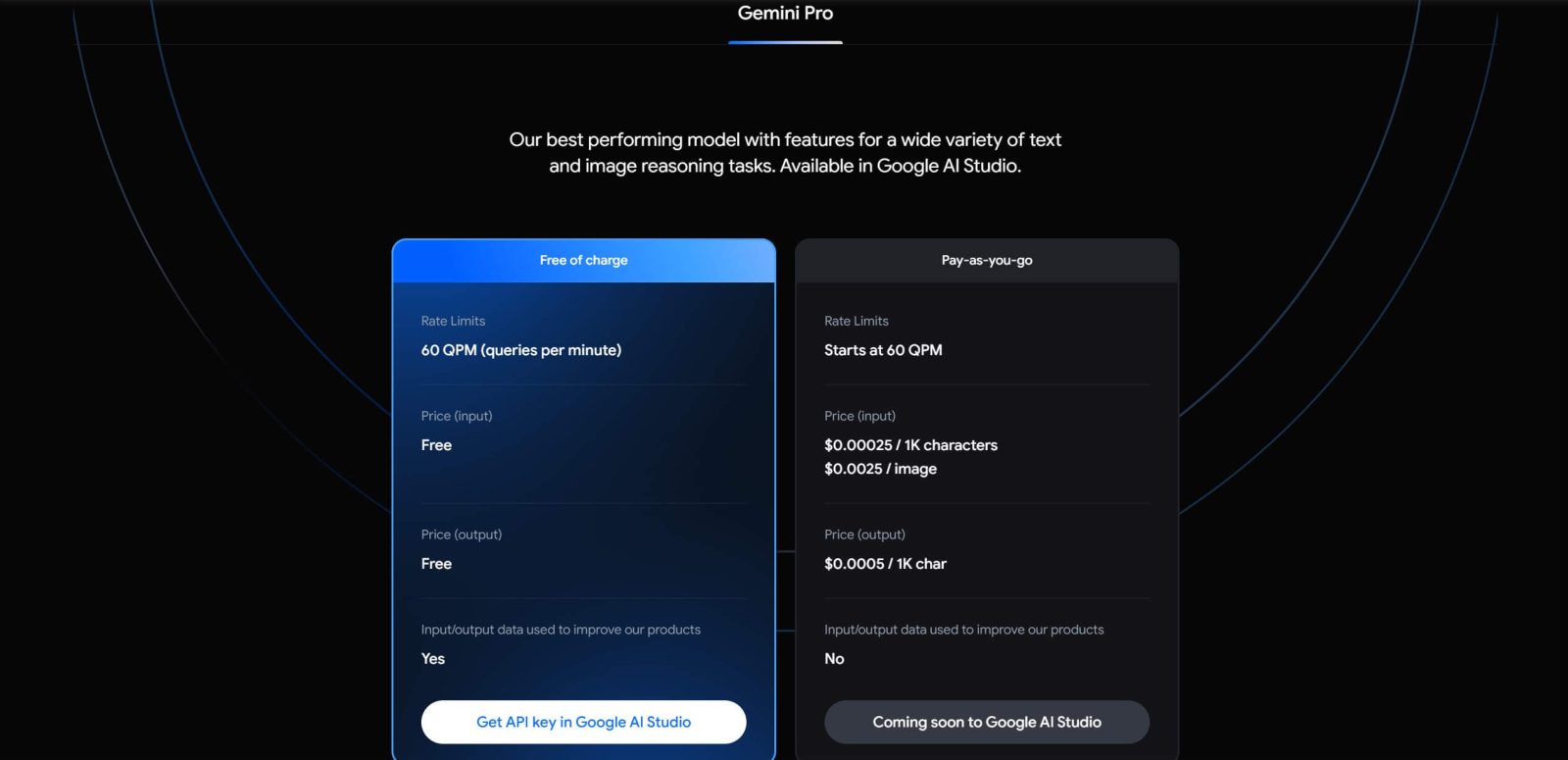
Google offers free access to Gemini for individual users and small businesses for non-commercial purposes. Commercial users will need to pay a fee to use Gemini.
Data Collection by Google: What You Need to Know
Google collects conversations within Gemini apps, usage data, location information, and feedback to improve service quality and develop products like the generative machine learning models powering Gemini.
What Does This Mean for You?
- Review and Processing: Your conversations in Gemini apps are read, annotated, and processed by reviewers.
- Privacy Measures: Google takes steps to protect your personal information by disconnecting conversations from your Google account before reviewers see them.
- Confidentiality: Avoid sharing confidential information in conversations that you do not want others to see.
- Data Retention: Conversations reviewed by people (and associated data) are retained for up to three years and are not deleted when you delete your activity in Gemini apps.
- Voice Data Processing: Google processes your voice data when you speak to Gemini apps but does not save these data by default.
- Advertising: Conversations in Gemini apps are not used to display ads.
Image Interpretation in Gemini Apps
When you add an image to a Gemini app instruction, Gemini uses Google Lens technology to interpret the image and better understand your request. Google uses these data as described in the Gemini apps privacy notice.
Restricting the Use of Actual Images
Currently, Google does not use actual (real-world) images and their pixels uploaded to Gemini apps for machine learning advancements unless included in feedback. If you provide feedback on a Gemini app response, the last uploaded image in the same conversation before the response will be included in the feedback unless you disable this option.
It’s essential to understand how Google collects and uses your data within Gemini apps. The information provided here helps you understand the process and decide how comfortable you are with this type of data collection.
For more details, read the Gemini apps privacy notice.
You can access Gemini here: https://gemini.google.com.