Higgsfield is difficult to describe because it changes almost every week. New models, studios and features keep appearing, and something that was new in spring can be a standard feature by autumn. I work with it every day and created my short film THE DEADLINE entirely within the platform, so my aim here is to give you an overview that remains useful despite the rapid changes.
In this article, I go through Higgsfield’s main features, explain what I recommend using it for, and share what it takes to achieve professional results. Always check Higgsfield’s own website for the exact model selection and current pricing, as these change faster than an article can be updated.
What is Higgsfield?
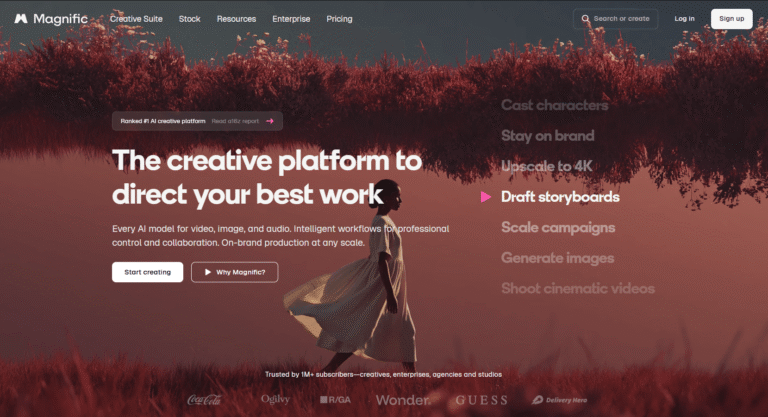
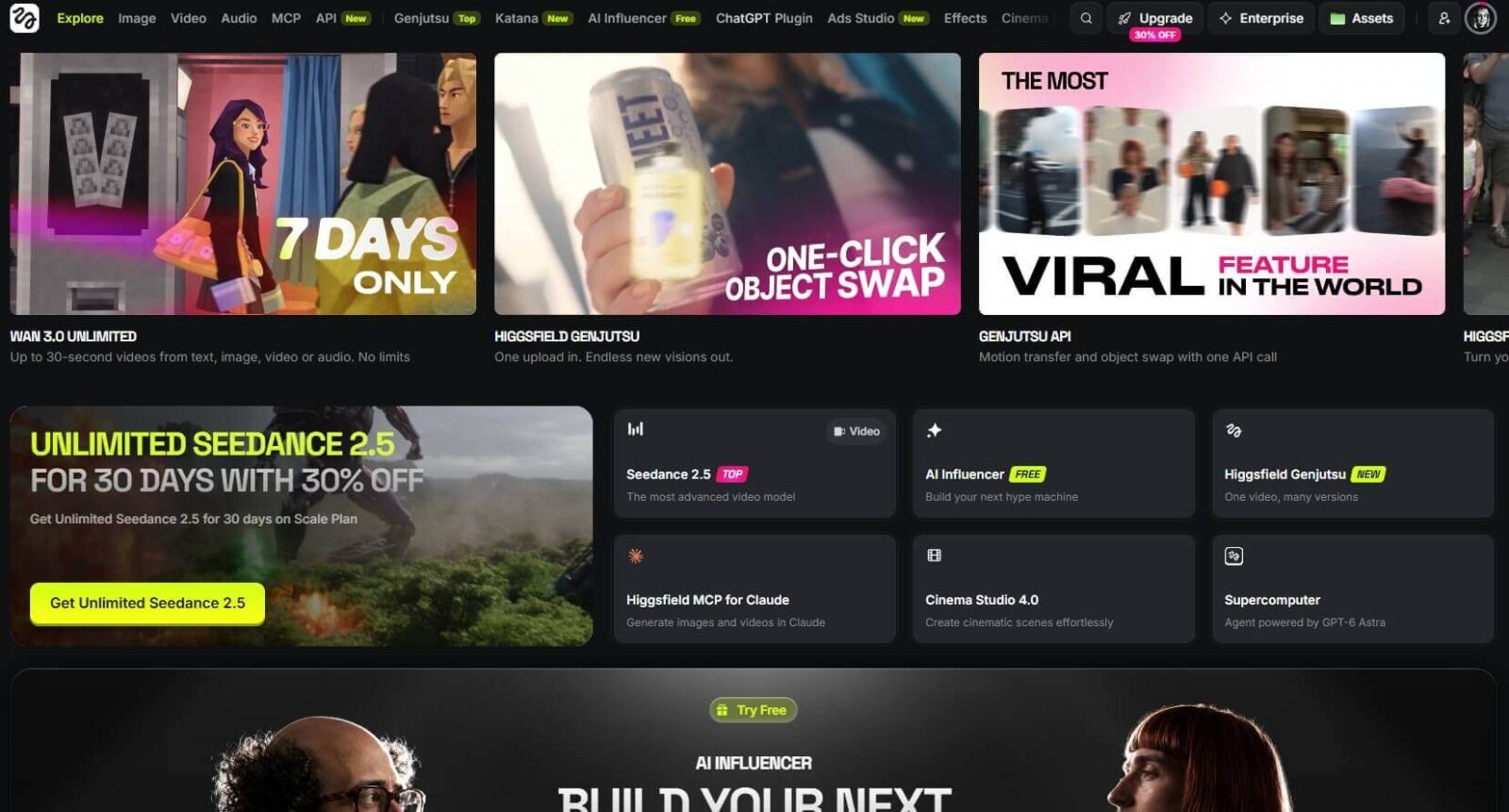
Higgsfield is a creative AI platform that brings leading image, video and audio generation models together in one interface. In this respect, it is similar to Magnific: rather than offering just one proprietary model, it provides multiple models side by side and builds its own studios, templates and controls around them.
The difference is their focus. Magnific is geared more towards general marketing and graphic design work, while Higgsfield has moved towards youthful, trend-driven, social-first content creation. It is particularly strong at creating AI influencers and offers plenty of ready-made TikTok templates: you can drop in your product and have it generate a video. You can even use it to build websites, applications and games.
Image generation and characters
The starting point is image generation: enter a prompt, choose a model and generate. There is a wide selection, including image models from GPT Image, Seedream, Nano Banana, Flux, Ideogram, Recraft and Grok. Higgsfield also has its own image model, Soul, which is updated frequently and is particularly good at developing original characters.
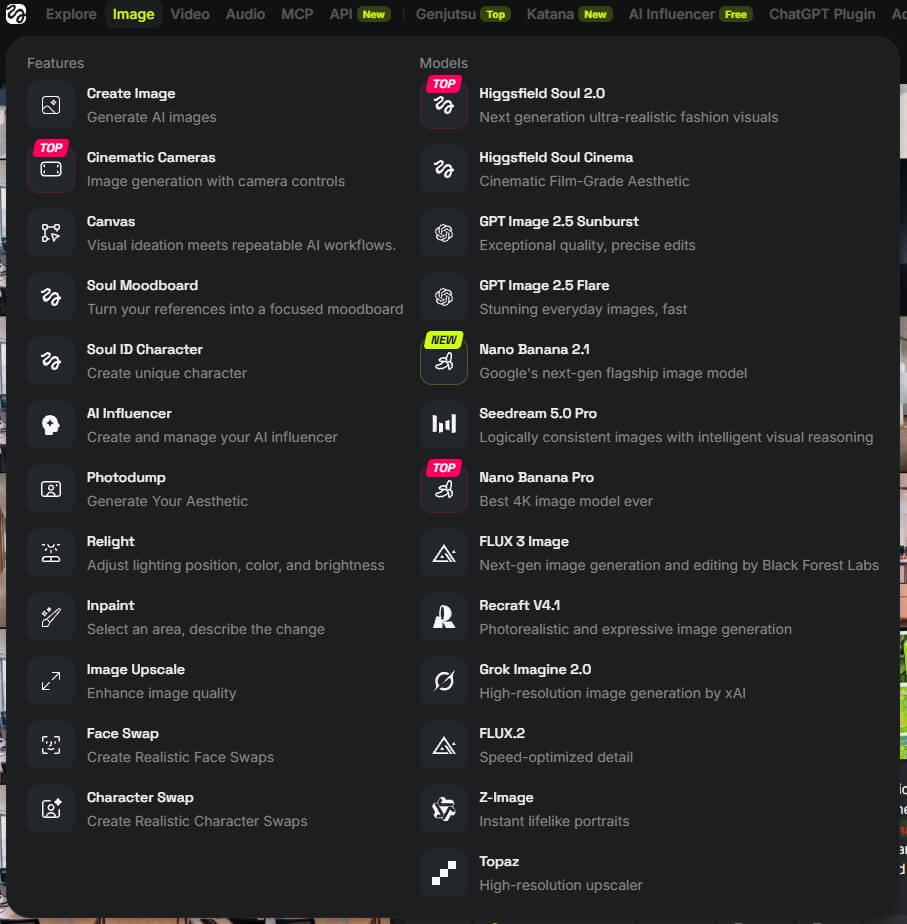
You can supply reference images and generate at 1K, 2K or 4K resolution. One feature that makes a real difference is Elements: reusable assets. You can build your own characters, locations, objects and styles, then call up the relevant Element instead of uploading the reference images again for every generation. This is what helps a series stay consistent and keeps the same character recognisable from one scene to the next.
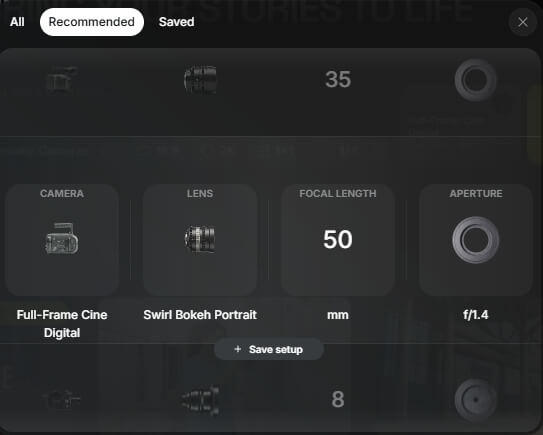
Camera control is one of Higgsfield’s biggest strengths. A dedicated cinematic camera feature lets you specify exactly which camera, lens, focal length and aperture to use when “photographing” a scene. If you have a background in photography or video production, this is a huge help: you can think much as you would on a real shoot.
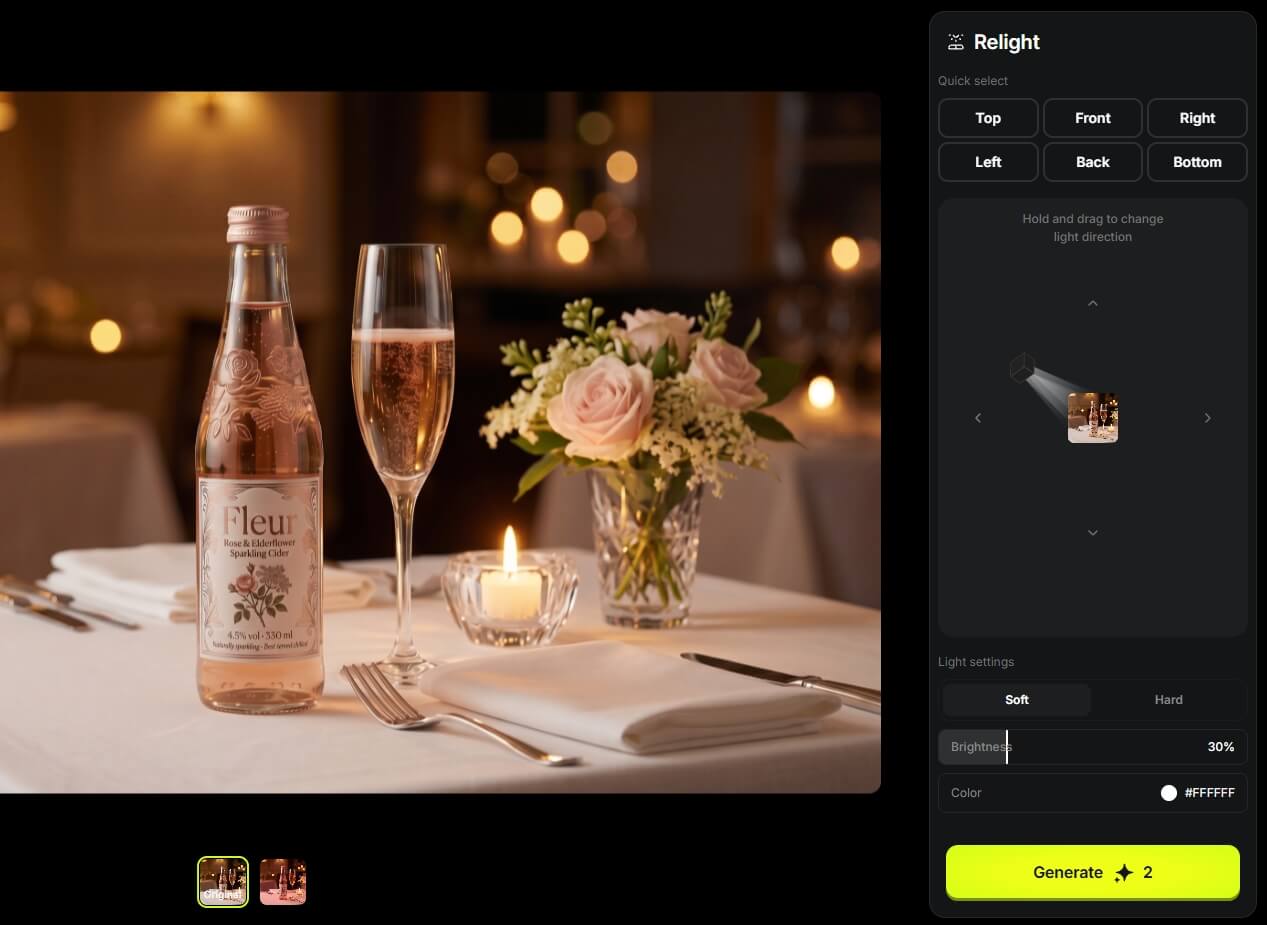
You can also edit the images you create. There is relighting to change the lighting afterwards, inpainting to modify part of an image, an upscaler for higher resolution, and face swapping to replace faces or even entire characters. A dedicated AI influencer builder offers numerous preset parameters if you want to develop a recurring digital personality.
Video generation and Cinema Studio
Video generation follows a similar approach: you can choose between several video models, provide a start and end frame, and control the camera precisely. Many things do not need to be described in a prompt because you can choose from preset camera setups and movements, then adjust the video parameters using sliders and buttons.
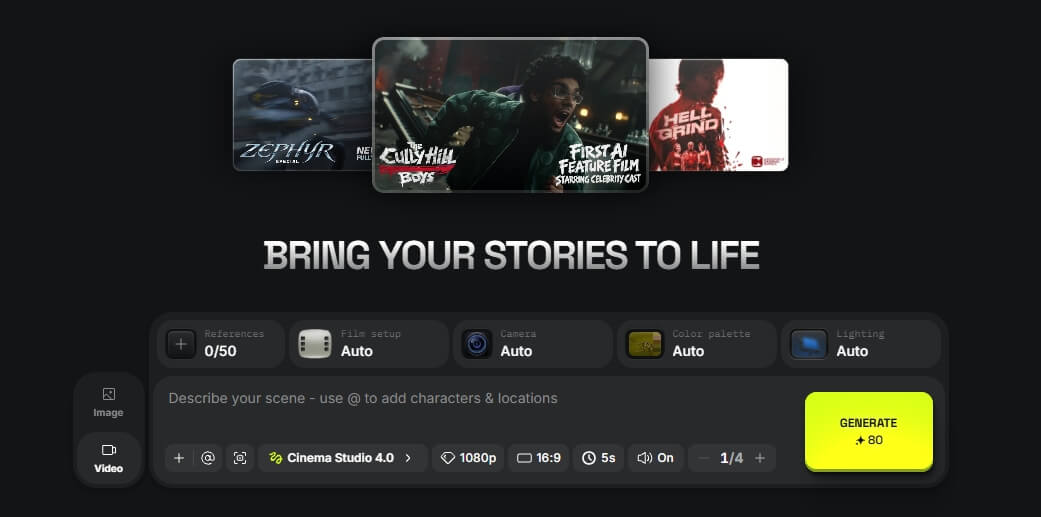
Cinema Studio is where the more substantial work happens. You can create projects and organise your work into folders within each one. For my short film, I developed the characters, locations and props separately inside a single project, then created the images and video shots scene by scene. Cinema Studio comes into its own when everything needs to remain consistent throughout a production with multiple scenes.
Genjutsu: transforming existing video
Genjutsu is one of Higgsfield’s newest features, launched in late August 2026. It lets you transform an existing video without having to reshoot it.
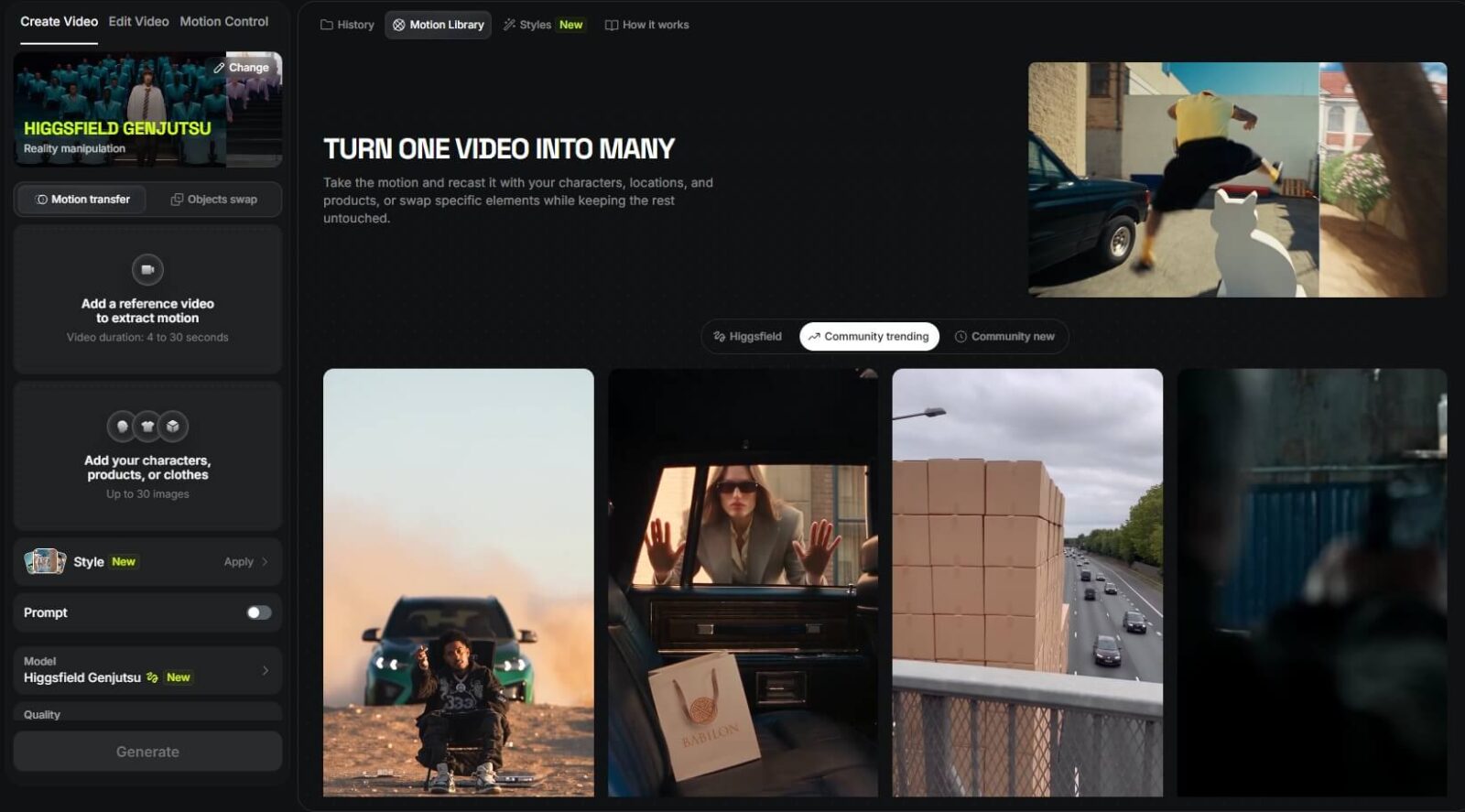
It has two main modes. One transfers motion: it takes the movement and action from a source video and applies them to another character or scene. The other replaces a selected element in the video, such as a product, an item of clothing or an object, while keeping the rest of the footage unchanged.
Filmmakers are already experimenting with this approach: an actor performs a scene against a green screen, and AI adds the setting and details afterwards. In marketing, the same principle means that a single recording can become several ad variations, featuring a different person, a different product or a different target market.
Marketing Studio, Ads Studio and effects
Higgsfield’s marketing tools are built around creating content quickly and producing multiple variations.
Marketing Studio is the tool for AI UGC videos. Choose an avatar, upload a photograph of your product, and the character demonstrates it: tasting it, putting it on or applying it, depending on the product.
Ads Studio is designed for producing ad creatives. Provide a link to your product page and build a complete brand kit, including your logo, colours and brand voice. The system then creates the advertising images automatically.
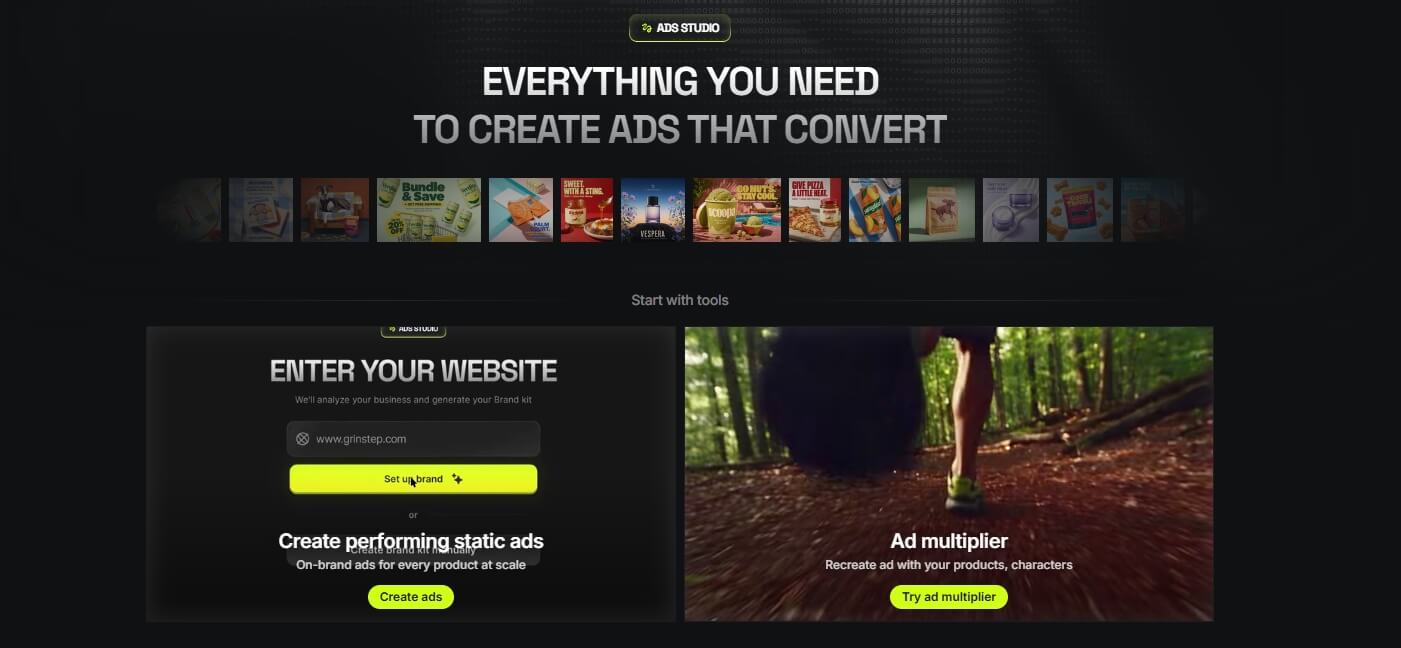
The effects and ready-made templates offer a LEGO-like way of working: choose your product, character and location, then assemble your video from those components.
Preparation matters most with these tools. If you simply drop in an image and a one-line prompt, you will get an average result. Really good work requires more thoughtful prompting, and it is worth designing the images first, then moving on to the videos. A lot of AI slop comes from skipping that preparation and putting something together in a hurry.
Audio, lip sync and translation
Higgsfield can also generate audio for your videos: narration, dialogue and sound effects. It includes lip sync, so a character’s mouth moves in time with the speech, and video translation is available for certain languages. This means you can create a complete video, from visuals to audio, within one platform.
Supercomputer, Canvas and integrations
Supercomputer is Higgsfield’s AI agent and, in my view, one of the most interesting parts of the platform. Describe what you want in a conversation, whether it is a Reel, a series of ads or a week’s content package, and it plans, generates and delivers it. It can connect to more than thirty external tools, from Slack and Gmail to Google Drive, Notion and social platforms.
You can also use and build skills in Supercomputer. The principle is similar to Claude: work out a successful workflow, teach it to the system, save it, and it can repeat that approach whenever you need it.
There is also Canvas, a shared workspace where you can collaborate with colleagues and build complete workflows using image generators, video generators and assistants. In 2026, this is still a relatively new feature and less mature than Magnific’s equivalent, but it clearly shows that Higgsfield is developing in the same direction.
Higgsfield can connect to other tools through MCP, allowing you to use it from ChatGPT or Claude, for example. It also has its own plugins for After Effects and Premiere Pro, and Claude can already build editable After Effects projects through MCP. An API is available for developers who want to integrate Higgsfield into their own systems.
Plans and pricing
It is worth examining the pricing carefully before subscribing. The plans differ significantly, and the credit-based system means it can be difficult to calculate the cost of an image or video in advance. More expensive models and longer, higher-resolution videos can use up your allowance quickly.
With monthly plans, unused credits generally do not roll over to the following month. A monthly subscription therefore makes the most sense if you use the platform actively and consistently. If you only work with it occasionally, check which option best suits your working pattern.
How do you achieve professional results in Higgsfield?
Higgsfield’s advertising is full of impressive videos, and you really can create those kinds of results on the platform. In my experience, the difference comes from how you use the tool.
For professional work, I always follow the same process. First, I plan what I want to communicate and establish the visual direction. Next, I build the assets: characters, locations and objects. Then come the images, and only approved images become videos. At every stage, I generate several variations and keep refining them until the scene works.
This takes more work than dropping an image into a template. But that additional work is precisely what separates professional content from AI slop.

AI video production
Whether you need a short commercial that highlights your product or service, or a complete introduction to what your business offers, we can create it entirely with artificial intelligence.