Managing a business Instagram and Facebook account can be a time-consuming process that requires daily attention to avoid algorithm penalties. A well-maintained Insta/Facebook account is crucial for growing your followers, reaching customers, and building brand awareness. But how can you ensure that your account not only stays active but also thrives amidst daily tasks? The answer is simpler than you might think: automation with ManyChat.
ManyChat is a tool that takes over many of your Instagram and Facebook tasks, saving you time and providing personalized, valuable interactions with your followers, thereby increasing their engagement. It allows you to execute automated messaging campaigns, meaning you spend less time crafting responses and more time offering personalized experiences to your followers without being online constantly.
In this post, I will introduce how ManyChat can make managing Instagram and Facebook simpler and more efficient. Learn how automation can benefit you as an entrepreneur and how ManyChat can elevate your Instagram presence to the next level, transforming your social media strategy while allowing you more time to focus on what truly matters: growing your business. But why ManyChat, and how can we maximize its features? Let’s explore!
What’s Included in the Free Plan:
The free ManyChat plan includes the following key features:
- Up to 1,000 contacts.
- Access to basic growth tools.
- Segmentation of contacts with 10 customer tags.
- Available channels: Instagram Direct Messages, Facebook Messenger, WhatsApp.
The free plan is perfect for testing, and if you like it, you can upgrade later. Let’s look at the main features available.
ManyChat Features Overview
- Automated Welcome Messages: Set up automated greetings to instantly respond to new followers or first-time contacts. This not only strengthens the brand-consumer relationship but also enhances the customer experience.
- Auto-Replies to Post Comments: You can set up automatic responses to comments on your posts.
- Keyword-Based Responses: Automatically reply to messages and questions based on specific keywords you define. Users receive a preset message when they type the keyword.
- Story Mention Automation: Automatically respond to all story mentions.
- Pre-Made Buttons: Use pre-made buttons to start conversations with new customers or followers.
- Message Sequences: Schedule messages to be sent at specific times, helping maintain interest and increasing engagement while providing value automatically.
- Website Integration: Works with website-embedded Messenger, allowing you to start conversations and set up buttons.
- Data Collection and Analytics: Helps you understand how your audience reacts to your messages, providing valuable insights to fine-tune your campaigns and improve customer experience.
Getting Started
- Create your first automated message.
- Visit the ManyChat website and create an account.
- Integrate your Instagram and Facebook Messenger accounts with ManyChat.
- Familiarize yourself with the interface and explore the various features.
Detailed Look at Key Features
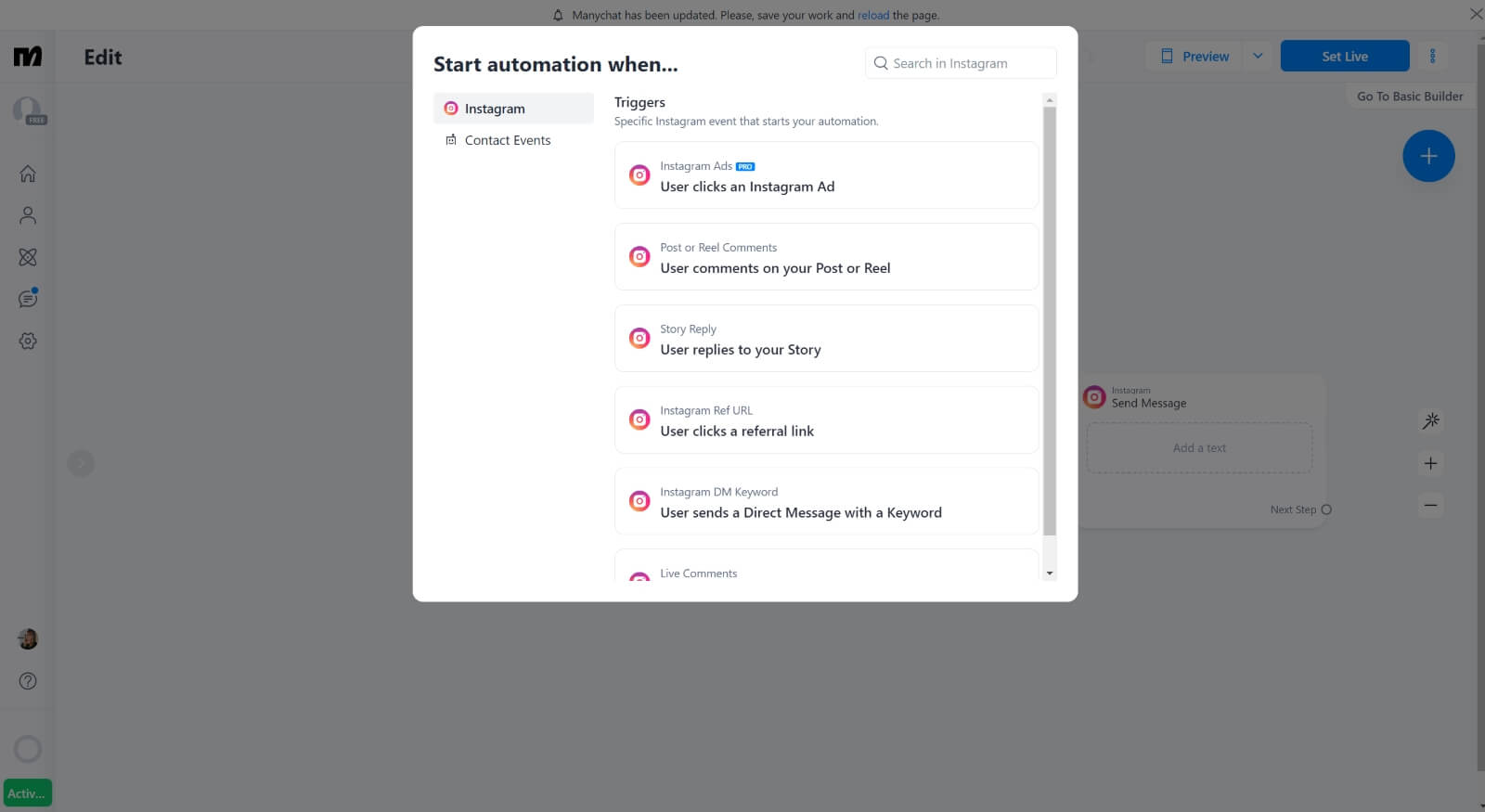
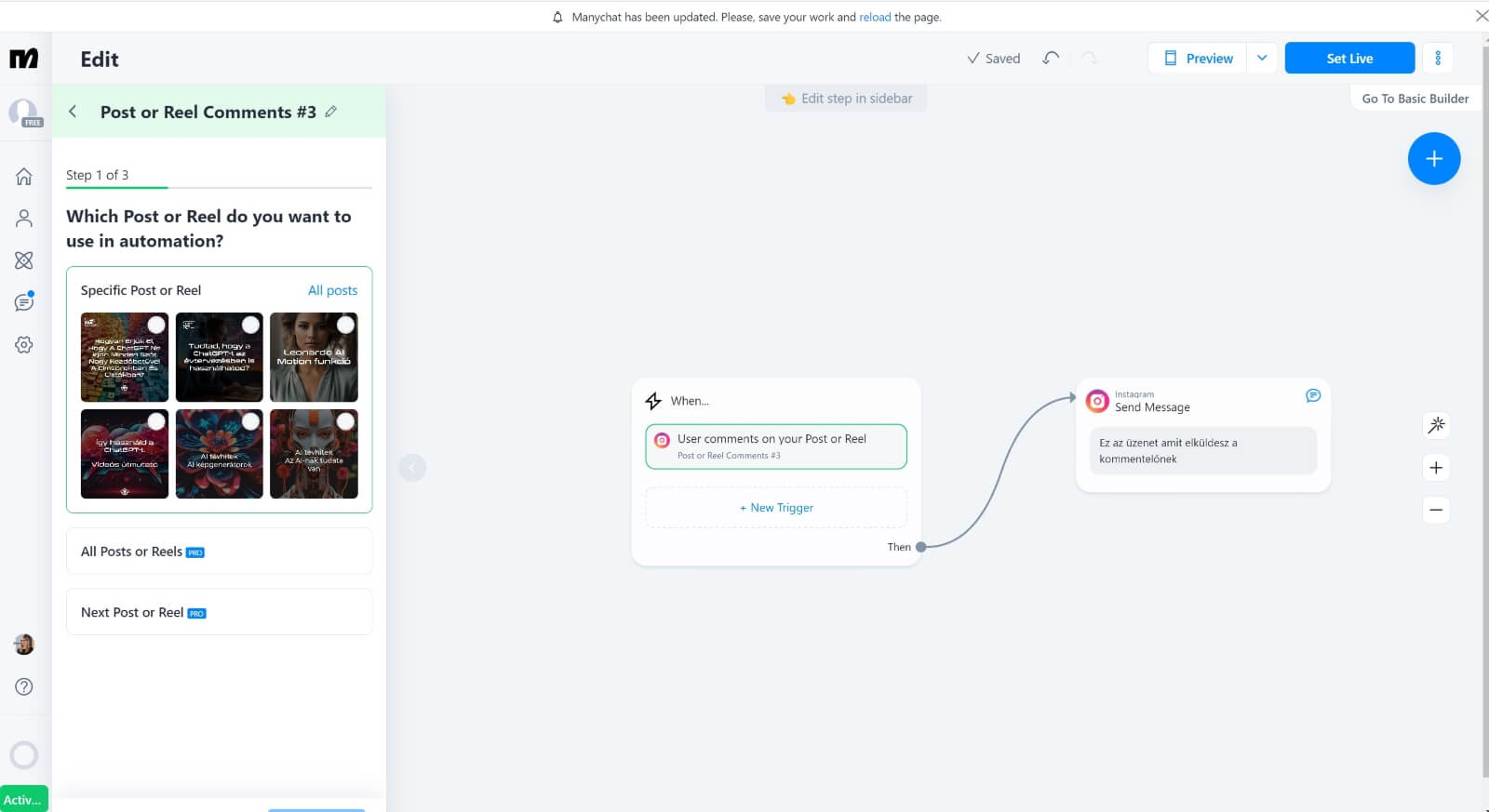
Automation Triggers: When creating automation, you can choose triggers such as a click on your ad (Pro feature), someone commenting on a post or reels video, responding to a story, clicking a link, or sending a specified keyword in direct messages or comments.
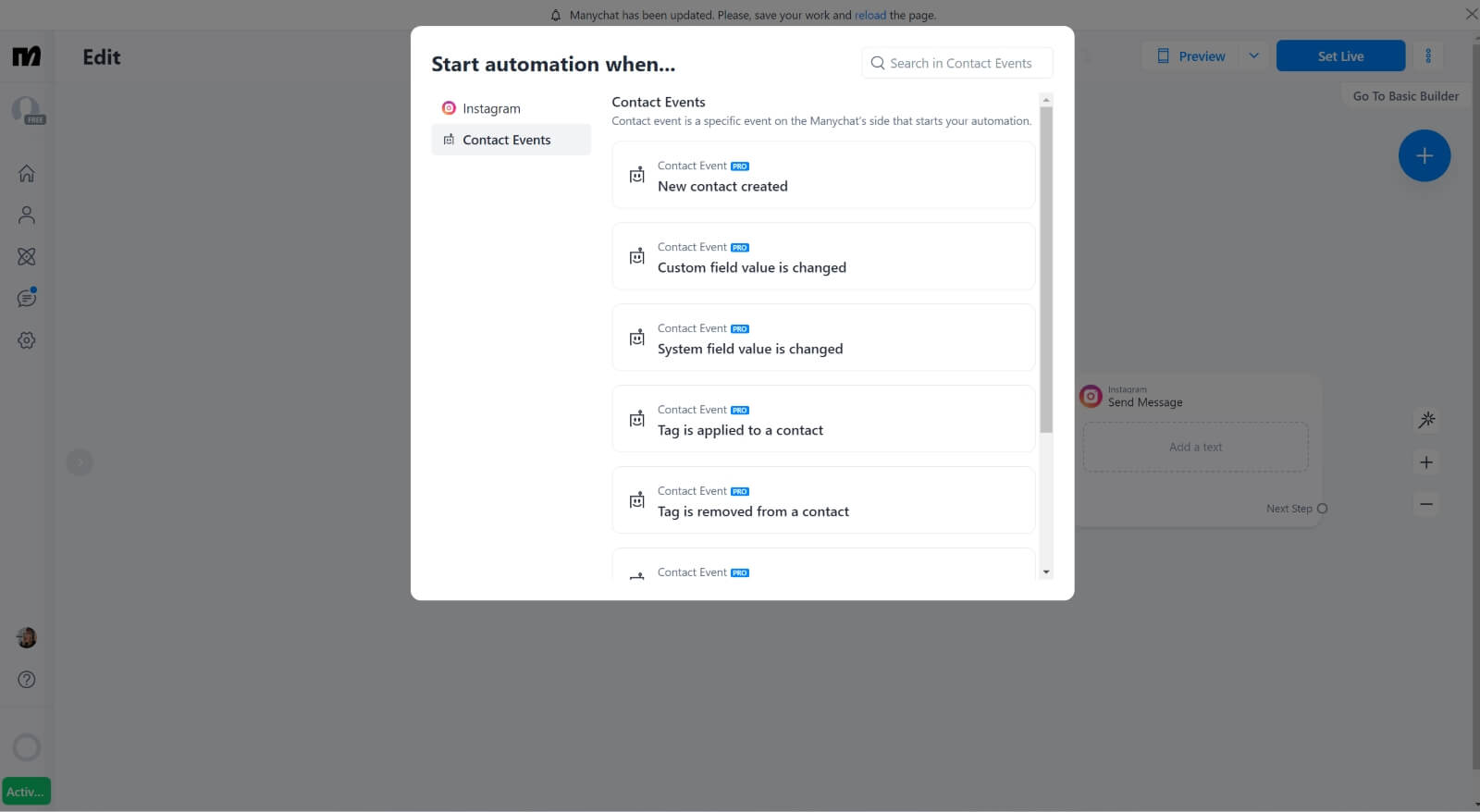
User Events as Triggers: Triggers can also be user events, like adding a new contact, changing user data, or including them in a sequence (Pro features).
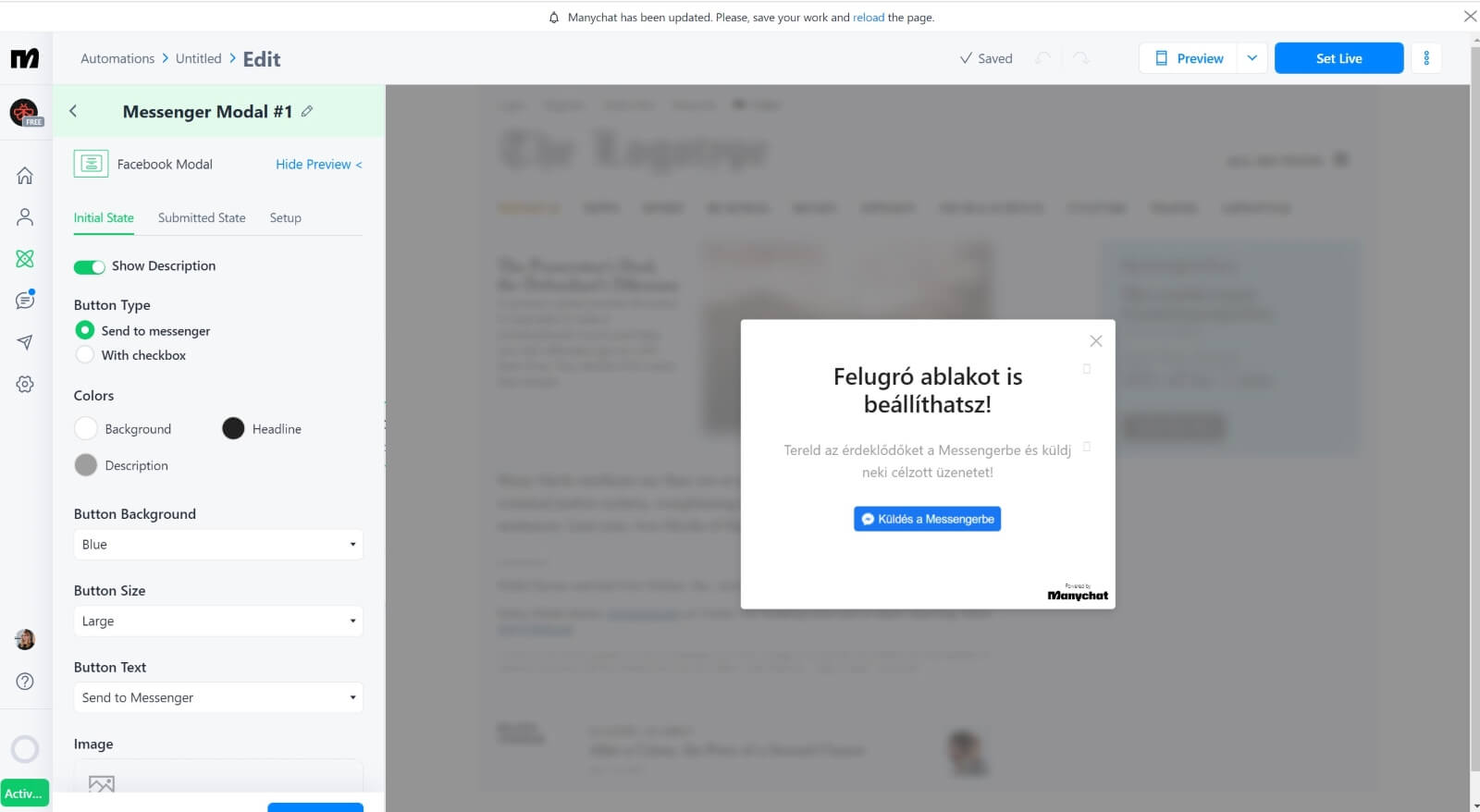
Facebook-Specific Options: Facebook offers more options since Messenger can be embedded into your website, including pop-ups. Automated messages can include text, images, videos, or audio messages!
Setting the Automation Outcome: After defining the trigger, set what happens next. For example, if someone comments on a post, you can send them a specific message. You can choose whether this applies to a particular post or all posts (Pro feature).
Start Using ManyChat!
With ManyChat, you can easily automate your social media communication, allowing you more time to focus on growing your business while maintaining an active and engaged community. The features introduced here are just the beginning, but they can already significantly enhance your communication strategy on Instagram and Facebook.